| |
 Barcodes for Data Merge Barcodes for Data Merge
The only InDesign barcode
system that lets you generate barcodes directly from variable-data
-
Use zero, one or more variable data (Data Merge) variables
- InDesign's Data Merge, DesignMerge, InData, others: works with virtually all variable-data systems
- Or, manually enter
data
- NO barcode fonts
- No macros, no scripting, no barcode image files
- 1-step process, all within InDesign
- Vector quality, crisp and scannable
- 1D, 2D, GS1 and Postal barcodes, no extra charge
- CMYK process colors, many other essential features for professional workflows
- $149 one-time, not a subscription
FREE Evaluation Version Click Here
|
|
| |
Works great with Data Merge and most other. Works great with Data Merge and most others. Chartbot
Barcodes fixes the limitations of traditional barcode systems, generates a full range of barcode types and works with virtually all
variable-data systems, including InDesign's built-in Data Merge feature. Even
users of product-specific barcode modules can add Chartbot Barcodes to their
existing layouts to support new barcode types, process colors, and take advantage
of other options.
Use any combination of zero, one or more variables, with manually-entered text optionally mixed in.
Great non-variable barcodes, too.
It produces virtually any barcode you'll need in vector quality.
No
barcode fonts.
Barcode fonts can be so painful!
Chartbot needs no fooling with your data. No need to switch out fonts when resizing barcodes.
No
macros, no scripting.
Unlike fonts, there's no need to reformat your database,
run Excel macros, compute checksums, or do other data processing.
For most
all barcode types, Chartbot Barcodes automatically takes care of encoding,
checksumming and resizing.
No barcode image files! 1-Step barcode workflow. Barcodes are generated and Placed in a single step. All within InDesign. Even for Data Merge. There's no error-prone need to create barcodes in another app, then Data Merge them as pictures in a second step.
Vector quality and Production
features. Automatic
sizing to fit data. Automatic size
tweaking
to match printer resolution. Many other pro features.
Wide
range of popular barcodes:
2D matrix barcodes
-
Datamatrix (all encodings, includes GS1-Datamatrix, ECC 200, Semacode)
-
MaxiCode (UPS)
-
PDF 417 (all encodings +
automatic)
-
QR Code (all encodings + automatic, supports vCard)
- Micro QR
GS1 barcodes
- GS1-128
-
GS1 Data Matrix
- GS1 QR Code
-
GS1 DataBar
- GS1 ITF-14
1D linear barcodes
-
Code 11
-
Code 128 (A, B, C + automatic encoding)
-
Code 2 of 5 (aka Standard 2of5, Code25, Non-interleaved 2of5)
-
Code 39 (aka 3of9, Barcode/39, LOGMARS)
- Code 39 Full Ascii
-
Code 93
-
Codabar (aka USD-4, NW-7, 2of7, ANSI/AIM BC3-1995)
-
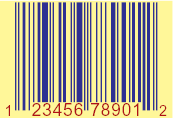
EAN 8, EAN 13 and EAN 2
(aka GTIN-8)
-
Interleaved 2 of 5
(aka ITF-14, ITF, GTIN-14, EAN-14, DUN14, SCC-14)
-
ISBN, ISBN Addon 2, ISBN Addon 5
-
JAN 13, JAN 8 and JAN 2
-
MSI
(aka Pulse Width Modulated)
-
Pharmacode
-
Plessey
-
RSS 14
(aka GS1 DataBar)
-
RSS Expanded
-
RSS Limited
-
UPC-A
(aka UPCA, GTIN-12)
-
UPC-E (aka UPCE)
Postal barcodes
-
AusPost (Australian Post)
-
Code 128
-
Datamatrix
-
FIM A, B, C and D (Facing Identification Marks)
-
MaxiCode (UPS)
-
PDF 417
-
USPS IMB
(aka Intelligent Mail Barcode, OneCode)
-
USPS POSTNET (obsolete)
Printing features
- True vector quality
-
Ink spread control for 1D linear barcodes
-
Print or omit text below barcode
- Automatic pixel-grid-fitting
for low-resolution label printers
-
CMYK process colors
-
Overprint and rich black
-
RGB colors
-
Separations
- PDF
compatible, no special license needed
Sizing features
-
Any size barcode - no restrictions
-
Can automatically adjust barcode size to match pixel size of low-resolution
output media
-
Manually specify matrix size, or automatically use best size to fit data
(Datamatrix, QR)
Encoding and checksums
-
Manual or automatic checksums/digits
-
Built-in data encoding, or use
pre-encoded databases
-
Manually specify encoding scheme, or let built-in optimizer choose most
efficient encoding(s)
-
FNC1 support for applicable barcodes
Data input
-
Variable-data (Data Merge, DesignMerge, InData, etc.) or manual data input.
-
Ascii, binary, escaped, mixed ascii/escaped
-
Selectable escape character (e.g. ~ ^ or others)
- Automatically accepts data previously formatted for barcode fonts from major font vendors
 more... more...
FREE Evaluation Version Here
|
Partial sample list. Click
to enlarge
|
|
|
|
|
|
|
|
|
|
|
|
|
|
|
|
|
Click samples to enlarge
|
|