| |
more... |
| |
|
Chartbot Barcodes
How It Works
|
 |
|
|
Chartbot works
in a unique manner: it is an EPS file built with Soft Horizons'
ActiveEPS technology. Text data and commands overprinted
on top of the
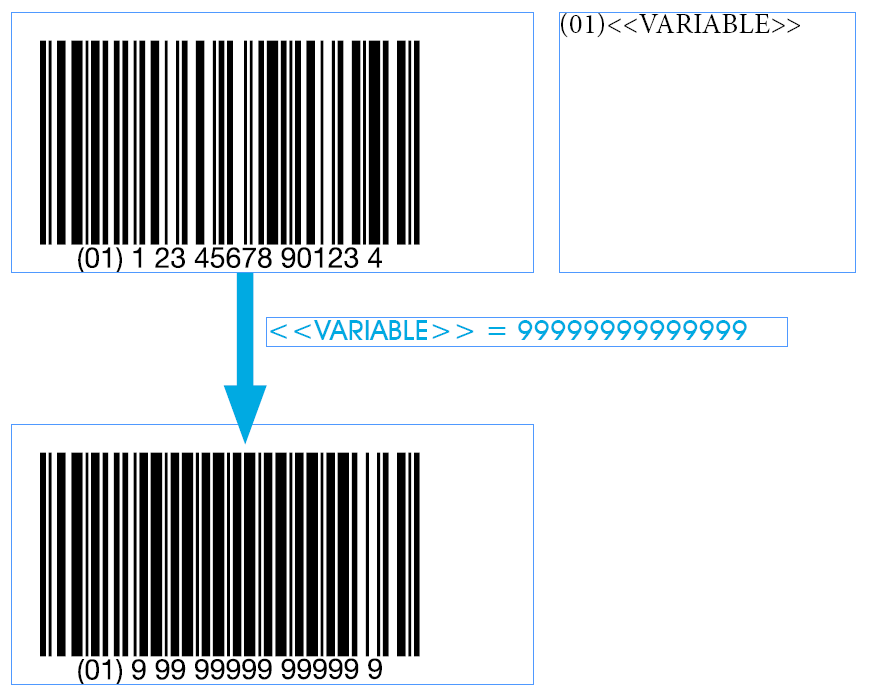
Chartbot EPS graphic are automatically
converted into a barcode.
No barcode fonts are involved. |
|
|
| |
| |
|
| Here's how to create
a chart in InDesign.
QuarkXPress works
the same, using equivalent Quark commands. |
|
| |
| |
|
|
|
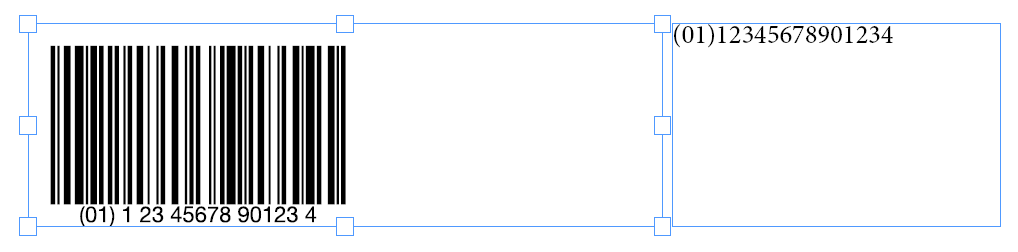
Start by doing
a "Place" of
Chartbot Barcode's EPS. The image you see isn't
a previewit's
just a low-res "stand-in"
for positioning. |
 |
|
| |
| |
|
|
|
 |
Enter
formatting commands and data in a
text box on top of Chartbot Barcode's EPS. The data will
not print, but instead will feed data to the barcode.
Data
and formatting commands may be typed in manually or may
be variable-data variables — or a mix of the two. |
|
| |
| |
|
|
|
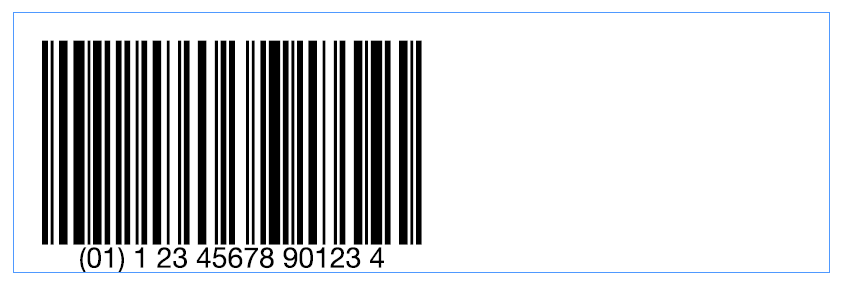
Preview
the results by printing the page to PDF, or by printing a
test page.
|
 |
|
| |
| |
|
|
|
  |
You can change the data or change the formatting
instructions. The barcode will be automatically updated
each time you print
the page.
|
|
| |
|
| |
more... |
| |
|
| |
|