Charting    Barcodes    Store    Support    Contact    Corporate  


Chartbot Charts
Business
Charting
for
QuarkXPress and Adobe InDesign

 More charts...details


Print charts and graphs within Quark and InDesign without Quark XTensions, plugins, VIPP nor any external programs.

Click samples to enlarge
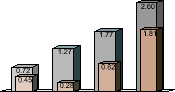
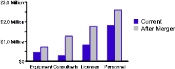
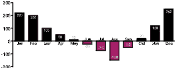
Bar chart
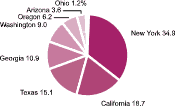
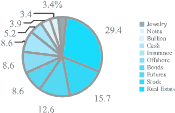
Pie chart
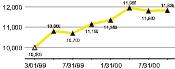
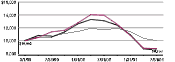
Line graph
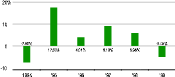
Automatic line graph charting
Charting software
Charting package
Business chart
Graphing software
Click samples to enlarge

Requires QuarkXPress or Adobe InDesign and a PostScript printer or Adobe Acrobat Distiller.

Automatic high-speed charting

The Chartbot family of production software is specifically designed to meet the advanced needs of professional publishing and printing:

High volume
Fast turnaround
Minimum labor cost
No need for checking
Designer visual quality
Frequent data updates
Streamlined workflow
Distinctive layouts
Instant rework
Print speed
 

Chartbot Barcodes
Variable Data Compatible
1D and 2D Barcodes
for
QuarkXPress and Adobe InDesign

 More charts...details


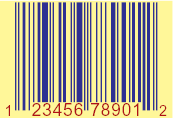
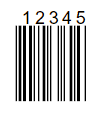
Generate barcodes from fixed or variable data with Quark and InDesign — no barcode fonts needed.

Works with most variable-data systems including InDesign's Data Merge feature, DesignMerge, XData, InData and many others. No extra programming or scripting is needed to work with variable data.

Supports 36 barcodes (see full list):

  • 1D barcodes including UPC, Code 128, EAN, and others
  • 2D barcodes including Datamatrix, QR code, PDF 417, and others
  • Postal barcodes including USPS Intelligent Mail (One Code) and postal barcodes for several countries

Supports color separations, overprint, spot color and other features essential to professional workflows.

Click samples to enlarge
Bar chart
Pie chart
Line graph
Automatic line graph charting
Charting software
Charting software
Click samples to enlarge

Requires QuarkXPress or Adobe InDesign and a PostScript printer or Adobe Acrobat Distiller.

Why not just use Illustrator or Excel?
Publishers often use charting software such as Adobe Illustrator, Microsoft Excel or maybe DeltaGraph to prepare separate EPS or PDF files when a job calls for graphs or charts, then merge the images into their document. That workflow is fine for small jobs, but is cumbersome or completely unworkable in situations that require high volume, fast turnaround, low production cost, or high reliability. In addition to the extra step and files, Excel and Illustrator charts must be checked and often manually reworked. Also, Excel charts often cause color-matching and other problems with digital presses.

For example, a financial catalog would strain the limits of a traditional workflow.

Copyright © 2003 - 2009 Soft Horizons     All trademarks are property of respective owners

Keywords: Business charts, pie chart, line graph, bar chart, automatic charting, charting software, Quark, InDesign